Table of Contents
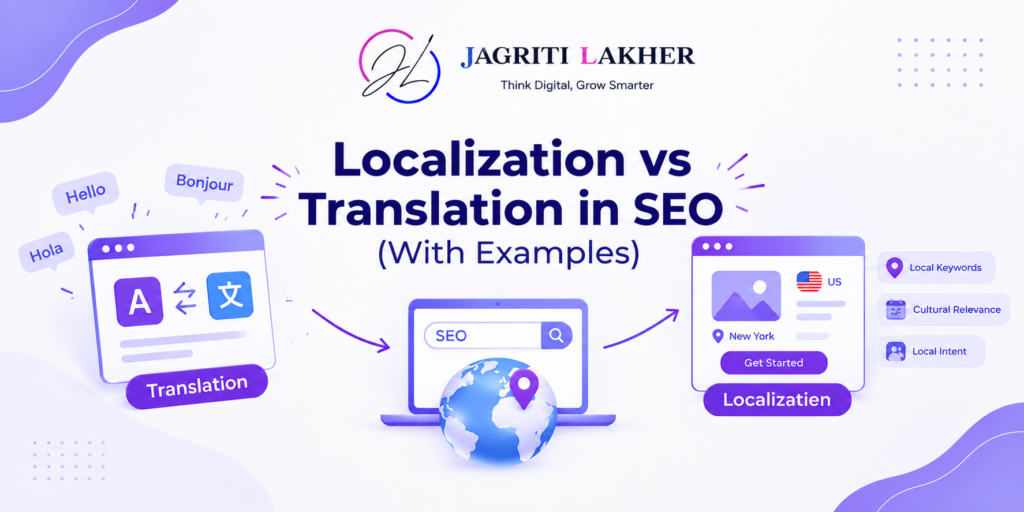
Localization vs Translation SEO starts with understanding how people in different countries search, buy and communicate. Translation changes the words on a page into another language. Localization adapts the page to match local search habits, including keywords, spelling, currency, examples and offers. For SEO, localization helps a page rank by matching what people actually search for in each market.
That’s true even when the language is the same. Someone in London looking for legal help searches for a “solicitor”, while someone in Chicago searches for a “lawyer” or an “attorney”. A page that’s perfectly written for one audience may not match the other.
This guide explores the difference with real examples from English-speaking markets, explains what Google says about translated content, and shows you how to decide which pages to translate and which to localize.
Localization vs translation: the difference
| Translation | Localization | Transcreation | |
| What changes | The language | Language, keywords, spelling, currency, units, examples, offers | The whole message, rewritten to land the same way |
| Keywords | Translated from the original | Researched in each market | Researched, then used in new copy |
| Who does it | A translator or software | A native speaker who knows SEO and the market | A copywriter from the market |
| Best for | Legal text, policies, product specs, help docs | Service pages, product pages, blog posts | Headlines, ads, slogans, calls to action |
| Cost and time | Lowest | Medium | Highest |
Same language, different searches: real examples
You don’t need a second language to need localization. These are everyday words people search with, and they change by country:
| Looking for | UK | US | Australia | Canada |
| A legal adviser | solicitor | lawyer, attorney | lawyer, solicitor | lawyer |
| A trip away | holiday | vacation | holiday | vacation |
| A phone | mobile | cell phone | mobile | cell phone |
| A home to rent | flat | apartment | unit, apartment | apartment |
| A property seller | estate agent | realtor, real estate agent | real estate agent | realtor |
| Tax on a price | VAT | sales tax | GST | GST, HST |
| Postal code | postcode | ZIP code | postcode | postal code |
| Builders, plumbers | tradesperson | contractor | tradie | contractor |
Spelling changes too: “optimise” and “colour” in the UK and Australia, “optimize” and “color” in the US. Canada often mixes both, so check which form your Canadian competitors use. Dates (15/10 vs 10/15), currency and measurements (kilometres vs miles) also need to match the market.
What this means for SEO: a US page about “realtor fees” won’t rank for “estate agent fees” in the UK, however well it’s written. Each market needs its own keyword research and its own wording on the page.
What Google says about translated content
Google decides the language from the page itself. Its guidelines say it uses the visible content of a page to work out its language, not the code. It recommends one language for the content and navigation on each page, and no side-by-side translations.
Automated translation can count as spam. Google’s spam policies describe scaled content abuse as creating many pages mainly to rank rather than to help people. One of the examples given is generating pages through automated transformations, including translating, “where little value is provided to users”.
AI translation isn’t banned. Using it as a first draft is fine. Publishing hundreds of machine-translated pages that nobody has checked, with no local keywords or examples, is the risk.
Which pages should you translate, localize or transcreate?
Don’t treat the whole site the same way. Spend the most effort on the pages that bring in customers.
| Page type | Approach | Why |
| Homepage | Localize, transcreate the headline | First impression and main brand searches |
| Service and product pages | Localize | These rank for buying searches and need local keywords, prices and proof |
| Pricing page | Localize | Currency, tax (VAT, GST, sales tax) and payment terms differ |
| Blog posts | Localize the best ones only | Pick posts that match real searches in that market. Don’t copy all of them. |
| Case studies | Localize where you have local proof | A local client example beats a foreign one |
| Ads, headlines and calls to action | Transcreate | Wordplay and tone rarely survive translation |
| Privacy policy, terms | Translate, with local legal review | Accuracy matters more than keywords |
| Help docs, specs | Translate | Users need the facts, not persuasion |
How I localize a page for a new market
When I plan a new market for a client, every page we localize goes through the same steps:
- Research the keywords in that market. I don’t translate the old list. I start from the customer’s problem and look at what people in that country type, using Keyword Planner set to that country, autocomplete and the top-ranking pages.
- Rewrite the title, H1, meta description and URL with the local keyword.
- Change the details: spelling, currency, tax, phone format, units, dates and local laws or standards.
- Swap the examples and proof for local ones: a client, a review or a number from that country.
- Have a native speaker from the market review the page.
- Connect the versions with hreflang, so Google shows the right one in each country. My guide to hreflang in WordPress shows how.
- Measure by country in Search Console (Performance → Country), and compare each version with the market’s top results.
One example: for Ghothane Lawyers in Melbourne, the audience is Melbourne’s Nepali and wider South Asian community. The content my team produced covered what that community actually needs: visa updates, migration explainers and how to book the right consultation. That’s localization for a community, not just a country.
Common localization mistakes
- Changing only the country name. Pages that are identical except for “Sydney” or “Dubai” give Google no reason to rank them, and can look like doorway pages.
- Keeping the original currency or tax. “$99 + sales tax” on an Australian page tells visitors it wasn’t made for them.
- Translating keywords word for word. The translated keyword is often not what people search for.
- Mixing languages on one page, for example an English menu on an Arabic page.
- Redirecting visitors by location. Google recommends a language or country switcher instead of automatic redirects.
Frequently asked questions
What is the difference between localization and translation in SEO? Translation converts a page into another language. Localization adapts it to a specific market, including the keywords people search for, spelling, currency, examples and offers. For SEO, localization usually matters more, because rankings depend on matching how local people search.
Do I need localization if all my markets speak English? Yes, if you have separate pages for the UK, US, Australia or Canada. People in these countries search with different words (solicitor vs lawyer, holiday vs vacation), spell differently and use different currencies and taxes.
Is machine translation bad for SEO? Not as a draft. The risk is publishing many machine-translated pages without review. Google’s spam policies name automated translation that provides little value as a form of scaled content abuse.
What is transcreation? Transcreation means rewriting a message for another market so it has the same effect, rather than translating it word for word. It’s used for headlines, slogans, ads and calls to action, where tone and wordplay matter.
How do I tell Google which version is for which country? Use hreflang tags, which list each language or country version of a page. Give each version its own URL, for example with subfolders such as /uk/ and /au/, and don’t redirect visitors automatically by location.
Expanding into a new market?
I’m an international SEO consultant helping businesses localize their websites for the UAE, Australia, the US, Canada and the UK. Book a free 15-minute call and I’ll show you which of your pages to localize first.
Ready to Grow in New Markets?
Tell me where you want to grow, and I’ll show you what it would take to get there.
Or email: info@jagritilakher.com

Share this Post :
Related Posts
WORK WITH ME
Grow Online. Get More Clients.
One consultant for your marketing, website, automation and data, so every part works together.
No complicated sales pitch. No pressure. Just conversation about your business.
CLIENTS RESULTS
Results From My Case Studies
Organic Clicks
+
0
%
Google AI Features Impressions
0
K
Social Media Impressions
+
0
%
LinkedIn Engagement
+
0
%
RELATED POSTS
Get the Growth Insights
Why Your Website Isn’t Ranking: 15 Technical SEO Issues.
October 22, 2026
SEO in the UAE: How to Rank in English and Arabic?
October 21, 2026
Localization vs Translation in SEO (With Examples)
October 20, 2026